Best AI Tools for Motion Capture
Motion capture used to mean a dark studio, a suit covered in reflective markers, and a rental bill bigger than most indie budgets. However, In 2026, a phone on a tripod and the right software is often enough to get usable body motion data.
Today, the term is more commonly known as performance capture. As AI steps us further away from human craft, there is still a recognition that the best results will come from a good performance, not just basic movement. In this post, I’ll probably use both terms interchangeably.
What most roundup posts skip is that motion capture doesn’t create a character, it only captures movement. The harder, more overlooked problem is having a character stable and consistent enough to actually apply that captured motion to in the first place.
This post covers tools across both sides of that problem, capturing motion cleanly, and applying it to a consistent AI-generated performance.
How We Evaluated These Tools
Three things mattered most: how much hardware or studio setup a tool actually requires, how well it handles known failure points like occlusion and finger articulation, and whether captured motion can drive a stylised or AI-generated character directly rather than staying a separate animation asset.
The Tools at a Glance
| Tool | Best for | Capture input | Character output |
|---|---|---|---|
| invideo Agent | Driving AI-generated characters with captured motion | Phone video reference | Native, styled generation |
| Rokoko | Accessible mocap for indie filmmakers and small studios | Video or affordable wearables | Export to rig |
| Move.ai | Multi-person scenes from ordinary phone cameras | Multi-camera phone video | Export to rig |
| DeepMotion | Real-time capture for live and streaming use | Single camera, real-time | Export or live-drive |
| Wonder Dynamics | Compositing CG characters into real footage | Live-action footage | Automated CG replacement |
Invideo Agent: Best for Driving AI-Generated Characters With Captured Motion
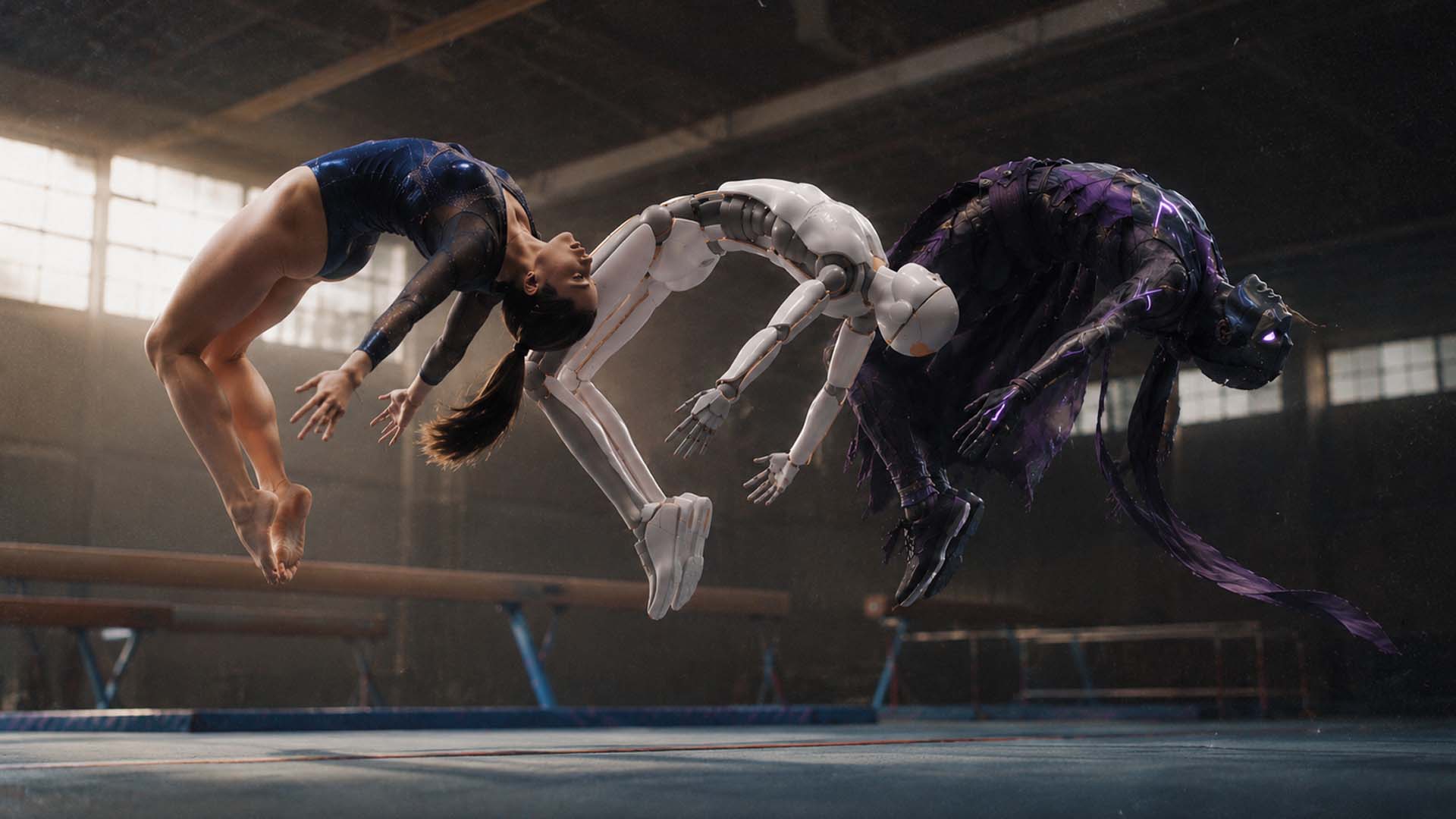
Invideo Agent accepts a performance video as a reference and generates a stylised AI character performing that exact captured movement, timing, weight, and body mechanics read from the footage rather than a text description. This motion capture pipeline extracts joint positions from the reference itself, not pixels, so movement applies correctly regardless of the character’s proportions.
The newer invideo Agent Two goes further: upload a performance, and it reads the energy and emotional beats, carrying that same feel into every future generation of the character, not just the raw skeletal motion.
Best for: Filmmakers who want captured motion, and the performance quality behind it, to drive an AI-generated, stylized character directly, without a separate retargeting-and-rendering pipeline.
Where it falls short: Best suited to shots where a stylized AI character is the goal, productions needing motion applied to a specific pre-built 3D rig still need a dedicated mocap export workflow like Rokoko or Move.ai.
Pricing: Plans start at $17/month, scaling to $900/month for the highest tier, credit-based across all plans.
Rokoko: Best for Accessible Mocap Without Expensive Hardware
Rokoko Studio is built specifically for indie filmmakers, game developers, and small studios who want realistic motion capture without a full suit-and-sensor budget, offering both video-based capture and more affordable wearable options than professional-grade systems.
Best for: Indie productions and small studios that need real animation-ready motion data without a professional mocap studio’s cost.
Where it falls short: More affordable capture methods generally trade off some precision compared to professional marker-based or high-end sensor systems.
Move.ai: Best for Multi-Person Scenes From Phone Cameras
Move.ai is built to handle multiple performers in the same scene using ordinary phone cameras rather than a single-subject setup, which matters for any shot involving more than one actor interacting physically.
Best for: Productions capturing group scenes, fights, or multi-character interaction using standard phone cameras rather than a studio rig.
Where it falls short: Multi-person capture is inherently a harder technical problem than single-subject capture, and results benefit from careful shoot planning to avoid overlap and occlusion between performers.
DeepMotion: Best for Real-Time and Live-Streaming Capture
DeepMotion is built around real-time performance capture, making it a fit for live-streaming, virtual production monitoring, or any workflow that needs motion data as it’s being performed rather than processed afterward.
Best for: Live or streaming use cases, and virtual production workflows that need to preview captured motion in real time rather than in post.
Where it falls short: Real-time processing generally trades some accuracy for speed compared to tools built purely for offline, post-processed capture quality.
Wonder Dynamics: Best for Compositing CG Characters Into Live Footage
Wonder Dynamics is built specifically for a different but related job: automatically compositing a fully CG character into real, live-action footage, using the actor’s performance in the original footage to drive the CG character’s motion, lighting, and camera matching.
Best for: Productions that shot with a real actor and want to replace or overlay that performance with a CG character, without a manual VFX compositing pipeline.
Where it falls short: Built around the CG-replacement use case specifically, not a general-purpose mocap data exporter for driving a rig in a separate animation tool.
Which One Should You Use?
Driving an AI-generated character directly from captured motion: invideo Agent.
Accessible, budget-friendly mocap for an indie production: Rokoko.
Multi-person scenes captured from ordinary phone cameras: Move.ai.
Real-time capture for live or streaming use: DeepMotion.
Automatically compositing a CG character into real footage: Wonder Dynamics.
Common Mistakes When Choosing an AI Motion Capture Tool
- Assuming mocap solves character design. Motion capture only captures movement, a character that isn’t visually consistent or stable to begin with won’t animate well no matter how clean the mocap data is.
- Letting limbs leave the frame during capture. Any moment a hand or foot exits frame forces the system to guess, producing sliding or popping joints in the result.
- Using a real-time tool when offline precision matters more. Real-time capture trades some accuracy for speed, a fit for live use, not necessarily for a final, polished shot.
- Attempting multi-person capture without planning for occlusion. Overlapping performers can cause skeleton-swapping errors; planning camera angles and staging in advance avoids this.
- Treating hand-critical performance the same as full-body motion. Fingers remain the weakest point in markerless capture generally, close-up gesturing often needs separate treatment.
FAQ
Do I need a mocap suit to get usable motion capture data in 2026?
No. Markerless, video-based motion capture from an ordinary phone camera is now good enough for most body-level performance work, though suit-based systems still hold an edge on fingers, fast spins, and overlapping bodies.
Can captured motion drive an AI-generated character directly?
Yes. Some tools, including invideo Agent, accept a performance video or its extracted motion data as a reference and generate a stylized character performing that exact captured movement, rather than requiring a separate retargeting step into a pre-built rig.
What’s the difference between motion capture and CG character compositing?
Motion capture extracts movement data from a performance to drive an animated character or rig. CG compositing tools like Wonder Dynamics go a step further, automatically replacing or overlaying a real actor’s performance in existing footage with a fully rendered CG character.
Why do multi-person motion capture scenes need extra planning?
Overlapping performers can cause the system to lose track of which skeleton belongs to which person, sometimes swapping data between them mid-shot. Capturing each performer with enough separation, or from angles that avoid overlap, prevents this.